Ecommerce Performance
Platform-specific notes that feed Evaluat’s ecommerce, checkout, and peak-readiness pages.
Ecommerce is where a slow page has a price on it, so these posts are platform-specific. Why Magento checkout dies first under load and Why your Shopify store slows down under load explain the failure each platform is prone to, WooCommerce performance testing shows how to find a WordPress store's limit, and Load testing a headless or Hyvä storefront covers the setups where the front end and the checkout are separate systems.
The 12-week Black Friday plan puts all of it on a calendar. It is the post to open in August, not November.
The product pages these posts feed are ecommerce performance testing, Magento performance testing, checkout performance testing and peak readiness.
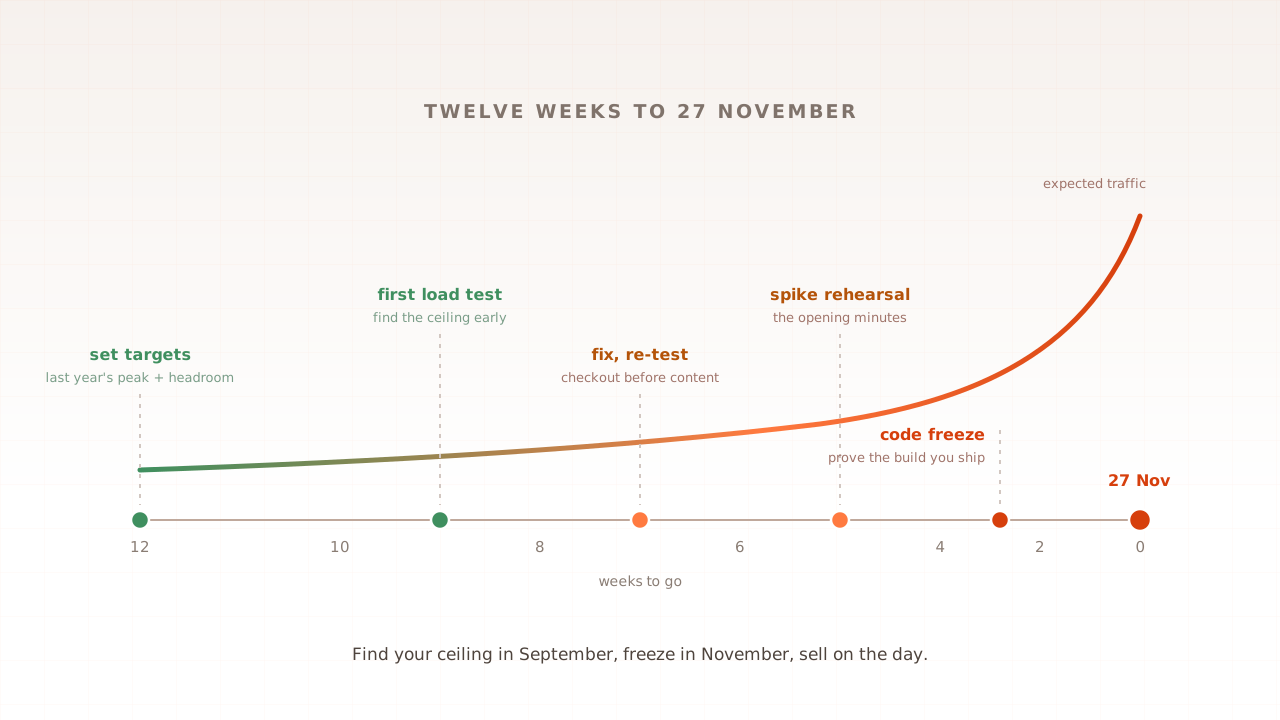
How to prepare your website for Black Friday: the 12-week plan
Black Friday 2026 lands on 27 November, and most sites that fail that morning failed weeks earlier, when nobody rehearsed the traffic. This plan counts down from the day: set targets from last year's analytics, find your real ceiling while fixes are still possible, rehearse the opening spike, then freeze and stand watch. Starting late? Jump in at your week.
Ahmad Farzan ·
Load testing a headless or Hyvä storefront
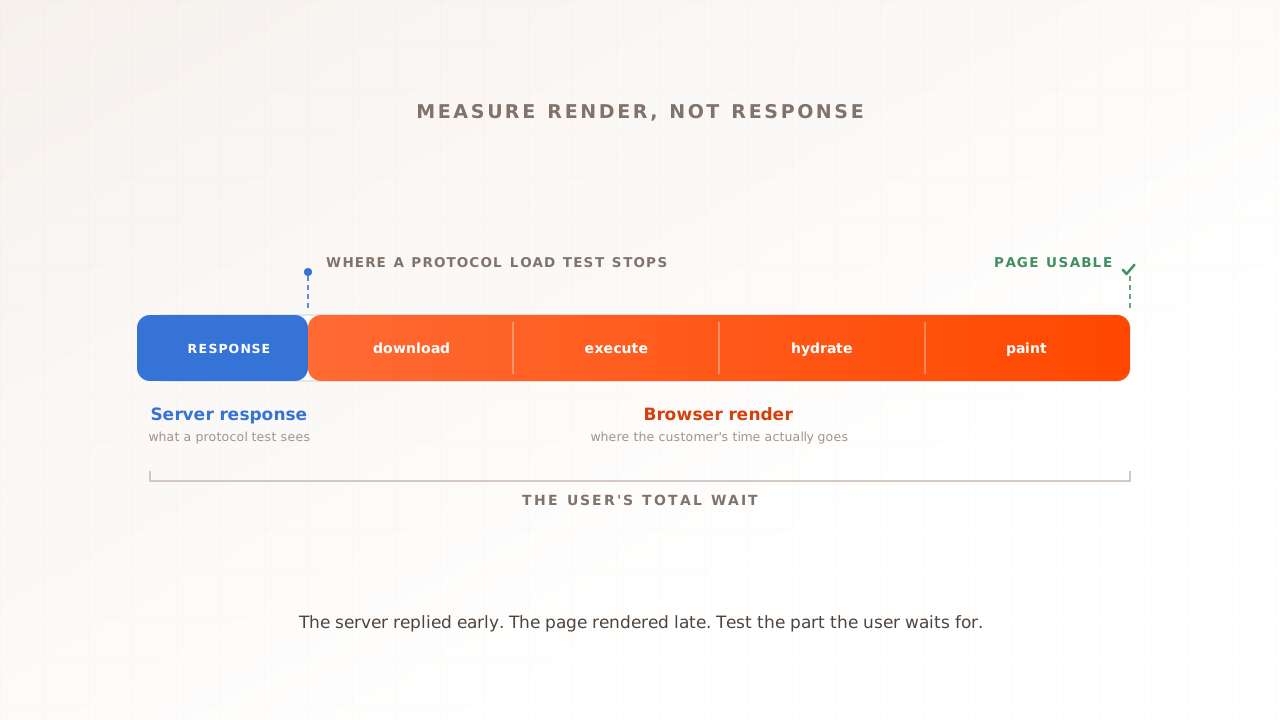
A headless storefront decouples the frontend from Magento and may render on the client, server, or edge. Hyvä is different: it is a lighter, server-rendered Magento frontend that replaces much of Luma's JavaScript stack. Both still need browser measurement and backend capacity testing, but for different reasons.
Ahmad Farzan ·
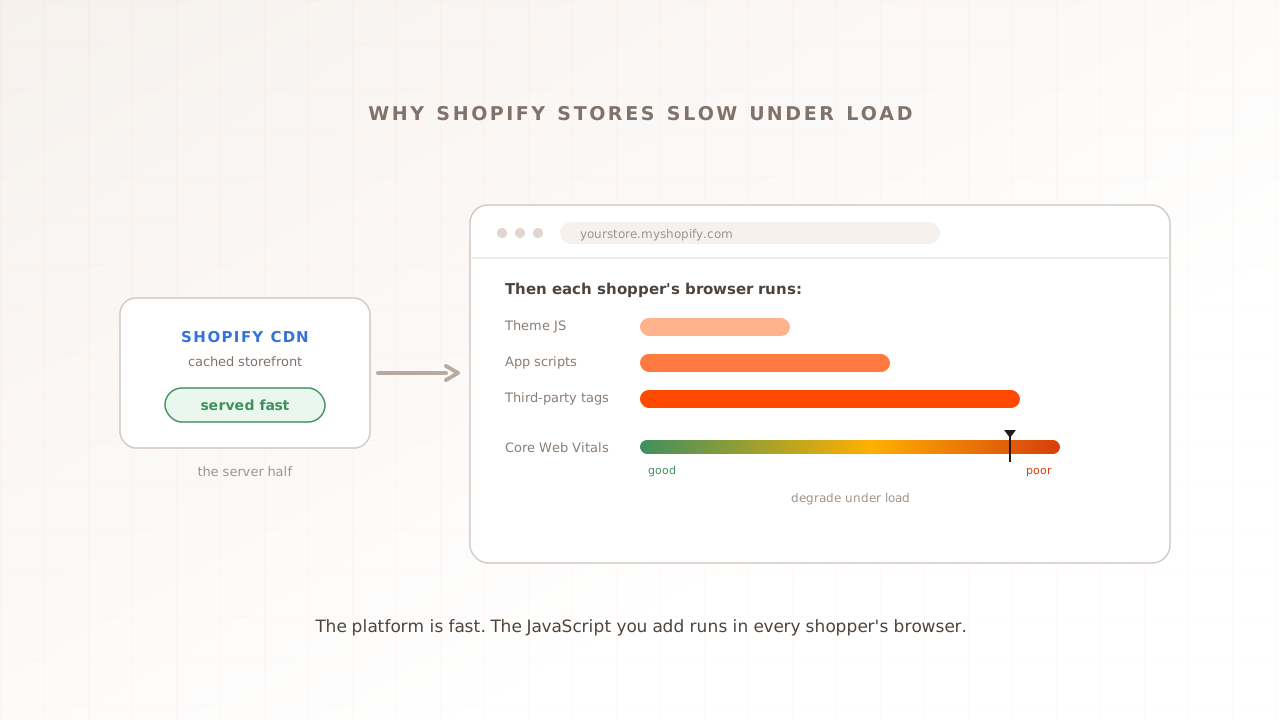
Why your Shopify store slows down under load
Shopify is hosted, so buyers assume it scales, and its cached storefront genuinely does. The slowdown lives somewhere else: the theme, apps, and third-party JavaScript a merchant adds run in every shopper's own browser, where an HTTP load test never looks. Under load, that is where a Shopify store actually slows. Here is why, and how to see it.
Ahmad Farzan ·
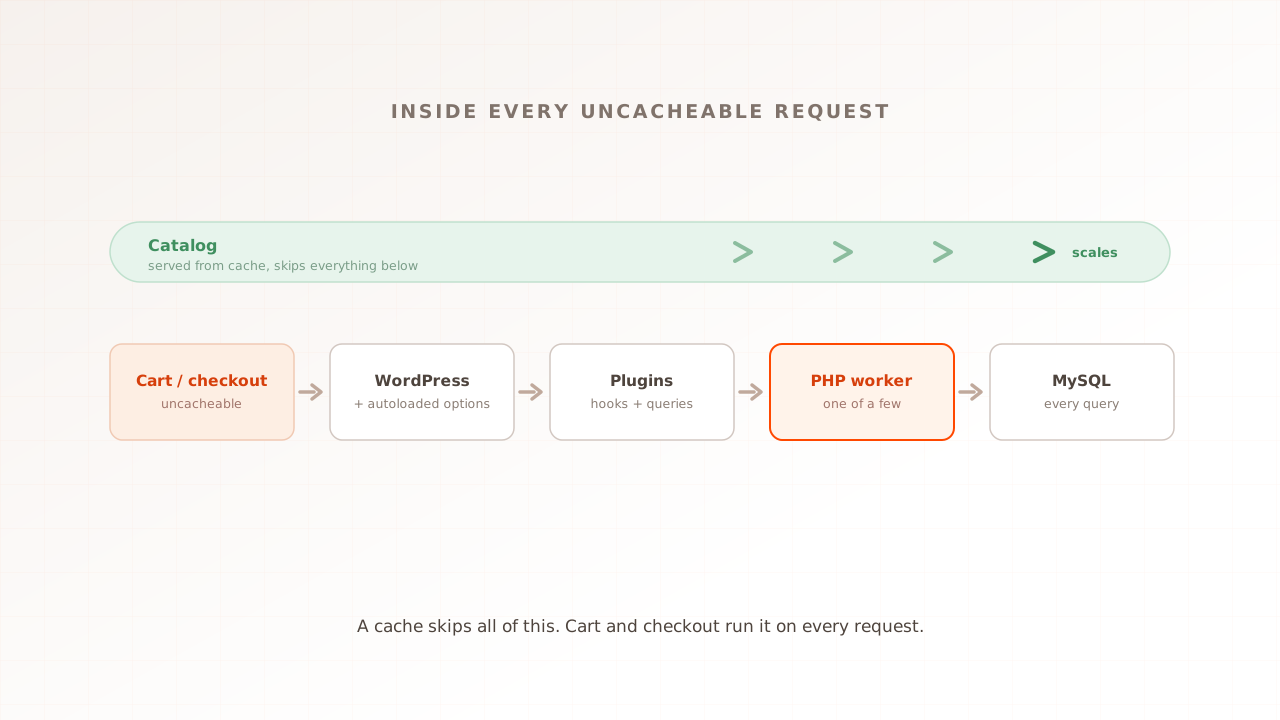
WooCommerce performance testing: find your store's limit under load
WooCommerce runs your store, which means the slow paths are yours to fix. Its cached catalog flies, but cart, checkout, and my-account run PHP and MySQL on every request, and on budget hosting a thin worker pool caps how many shoppers that path can hold. Here is why it slows under load, and how to test a staging copy.
Ahmad Farzan ·
Why Magento checkout dies first under load
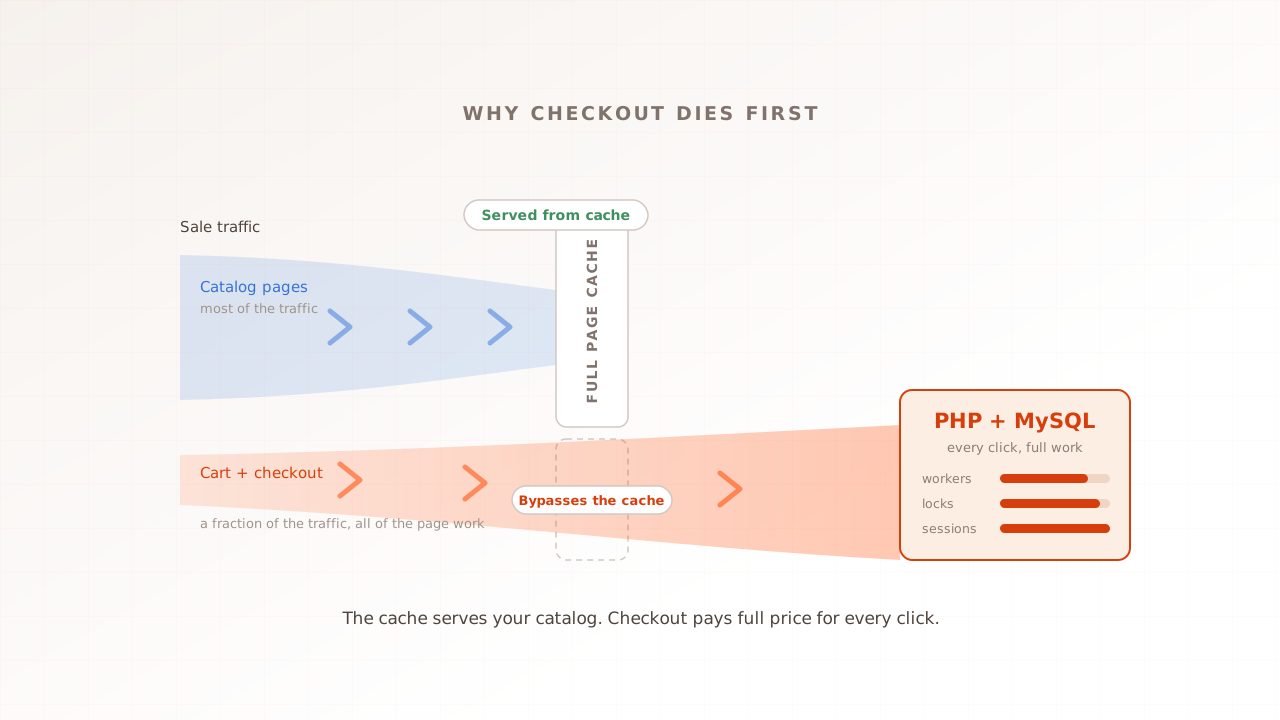
Every sale, the same picture: the homepage is fast, product pages are fine, and checkout is timing out. That is not bad luck. Magento's cache serves the catalog, but cart and checkout hit PHP and MySQL on every click, exactly where the work is heaviest and hardest to share. Here is why, and how to test for it.
Ahmad Farzan ·